

meet your new assistantClinical Resource
Assistant
An Al-powered tool that generates customized, evidence-based resources—so you can spend less time prepping for clients and more time being with them. You stay the clinician. Our assistant makes it easier.
Tailored handouts in seconds
Less prep, more presence
Evidence-informed
NOW AVAILABLE
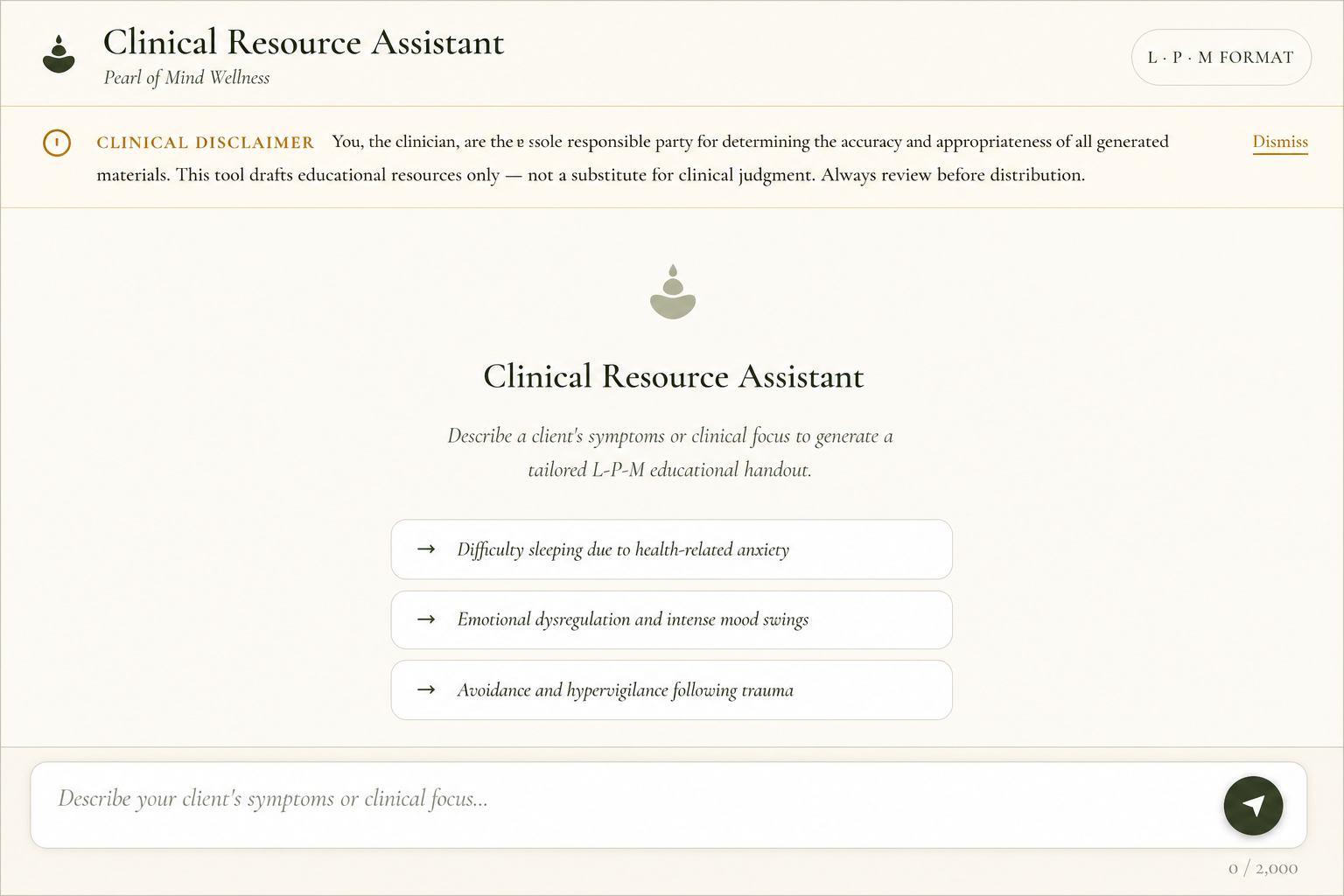
Designed for Clinicians. Built for better care.
Clinical Resource Assistant helps you quickly create high-quality, research-informed resources tailored to your client's unique needs and your clinical focus.

SAVE TIME
Eliminate time consuming searches and start with tailored content in seconds.

REDUCE MENTAL LOAD
Offload the prep work so you can focus your energy where it matters most.

UPHOLD ETHICAL STANDARDS
Resources are evidence-based and aligned with best practices to standard of care.

ENHANCE CLIENT CARE
Provide clear, relevant handouts that support understanding engagement, and progress.

Good therapy requires great tools. The Clinical Resource Assistant is an AI-powered tool built exclusively for clinicians who want to extend the impact of their work both during and after sessions — delivering custom, research-backed resources that feature psychoeducation, practice skills, and reflection prompts to meet each client's unique presentation. Generate high-quality resources to guide client's in session, or simply drop them into a homework e-mail with the click of a button.
How it worksThree simple steps to meaningful support.
Describe Your Client’s Needs. Enter a few details about presenting concerns, or your clinical focus.
Generate Your Resource. Our Al creates a customized, evidence-based handout in our L-P-M format. (Learn, Practice, Make It Your Own).
Review and Share With Confidence. Quick copy buttons let you easily share in markdown or rich text formatting to drop in an e-mail or other secure third-party messaging system. You can even print to review in-session or as a take-home resource for homework.